
Ultimate Beginner’s Guide: What Is Web Hosting in 2026
In today’s digital world, having an online presence is no longer optional for businesses, freelancers, startups, or personal brands. Whether you want to launch a business website, start a blog, create an online store, or build a professional portfolio, one essential service powers everything behind the scenes: web hosting.
Many beginners hear terms like domains, servers, hosting, SSL certificates, VPS, and cloud hosting, but often struggle to understand how everything works together. This guide explains web hosting in a simple, beginner-friendly way while also covering the modern technologies shaping the hosting industry in 2026.
What Is Web Hosting?
Web hosting is a service that stores your website files and makes them accessible on the internet. Every website you visit online is hosted on a server a powerful computer that runs continuously to deliver website content to visitors worldwide.
When someone types your domain name into a browser, the hosting server sends your website’s files, images, code, and content to the visitor’s device so the website can load properly.
Without web hosting, a website cannot exist online.
How Web Hosting Works
To understand web hosting properly, it helps to understand the basic structure behind a website.
A website usually consists of files, images, databases, themes, templates, code, emails, and security certificates. These files are stored on a hosting server connected to the internet 24/7.
- A user enters your domain name into a browser.
- The domain points to your hosting server through DNS.
- The server receives the request.
- The server sends website files to the visitor’s browser.
- The website appears on the screen.
This process usually happens within seconds.
What Is a Hosting Server?
A hosting server is a high-performance computer designed specifically to store websites and deliver them online continuously.
Unlike regular personal computers, hosting servers are optimized for speed, stability, security, uptime, scalability, and data protection.
Modern hosting providers use advanced infrastructure, SSD storage, cloud systems, cybersecurity protection, and performance optimization technologies to ensure websites remain online and fast.
Why Web Hosting Is Important
Choosing the right web hosting service affects nearly every part of a website’s performance and success.
1. Website Speed
Fast-loading websites provide a better user experience and can help improve search engine performance.
2. Website Security
Modern hosting often includes important security tools such as SSL certificates, malware scanning, firewalls, backup systems, and DDoS protection. For businesses that need stronger protection, dedicated website security services can help protect websites from online threats.
3. Reliability and Uptime
Reliable hosting ensures your website remains available to visitors without frequent downtime.
4. SEO Performance
Search engines prefer websites that are fast, secure, mobile-friendly, and consistently available. Hosting quality directly affects these factors. For websites focused on organic visibility, professional SEO services can also support better search performance.
5. Business Credibility
A professional website with strong performance builds trust with customers and visitors. Business email, secure browsing, and a professional domain all help strengthen that trust.
Different Types of Web Hosting
Not all hosting solutions are the same. Different websites require different hosting environments depending on traffic, performance needs, and technical requirements.
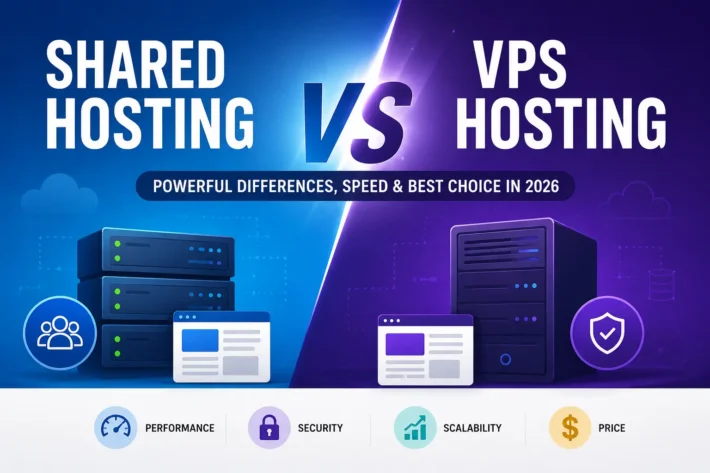
Shared Hosting
Shared hosting is the most beginner-friendly and affordable hosting option. In shared hosting, multiple websites share resources on the same server.
It is suitable for small business websites, blogs, portfolios, startup websites, and beginner users. For many beginners, cPanel hosting is a practical starting point because it provides an easy control panel for managing websites, files, databases, email, and hosting settings.
Benefits of shared hosting include:
- Affordable pricing
- Easy management
- Beginner-friendly setup
- Lower maintenance requirements
Limitations may include:
- Shared resources
- Lower scalability
- Performance variation under heavy traffic
Managed WordPress Hosting
Managed WordPress hosting is specifically optimized for WordPress websites. It often includes automatic updates, WordPress optimization, security enhancements, backups, and caching systems.
This hosting type is ideal for business websites, blogs, WooCommerce stores, and content creators who want a simpler way to manage WordPress performance and security.
VPS Hosting
VPS stands for Virtual Private Server. A VPS hosting environment divides a physical server into multiple virtual servers with dedicated resources.
VPS hosting offers better performance, higher flexibility, root access, scalability, and advanced customization.
It is suitable for growing businesses, developers, high-traffic websites, and advanced users.
Dedicated Hosting
Dedicated hosting provides an entire physical server for one customer. This hosting type is usually used for enterprise businesses, large-scale websites, high-traffic applications, and custom infrastructure environments.
Dedicated hosting offers maximum performance, complete server control, high-level security, and advanced customization.
Cloud Hosting
Cloud hosting uses multiple connected servers instead of relying on a single server. This creates higher scalability, improved reliability, better uptime, and flexible resource allocation.
Cloud hosting continues to grow because it provides strong performance and adaptability for modern websites.
What Is the Difference Between a Domain and Web Hosting?
Many beginners confuse domains and hosting, but they are completely different services.
Domain Name
A domain name is your website’s online address, such as yourwebsite.com. You can search and register a new domain through domain registration services.
Web Hosting
Web hosting stores your website files and makes them accessible online.
A simple way to understand it:
- Domain: your website address
- Hosting: the place where your website lives
You need both to launch a website. If you already own a domain elsewhere, a domain transfer service can help move it to your preferred provider for easier management.
Important Features to Look for in a Hosting Provider
Performance and Speed
Look for hosting providers that offer SSD or NVMe storage, optimized servers, caching systems, and CDN integration. Website speed directly affects user experience, SEO, and conversions.
Security Features
Modern hosting should include SSL certificates, malware scanning, firewall protection, backups, account isolation, and DDoS protection. For websites that handle customer data, security should be treated as a core requirement, not an optional upgrade.
Reliable Uptime
Uptime refers to how often your website remains online. Professional hosting providers usually aim for strong uptime performance, commonly around 99.9% or higher.
Frequent downtime can hurt SEO, reduce trust, lose visitors, and affect sales.
Backup Systems
Automatic backups help recover websites quickly in case of hacking, accidental deletion, failed updates, or server issues. A dedicated website backup service can provide extra peace of mind for business websites.
Customer Support
Strong support is especially important for beginners. Look for hosting providers that offer technical assistance, migration help, setup guidance, and reliable customer support.
Scalability
Your hosting should grow with your website. A scalable hosting provider allows upgrades from shared hosting to VPS, dedicated, or cloud hosting without major complications.
How to Choose the Right Hosting Plan
The best hosting plan depends on your goals, traffic, budget, and technical needs.
Choose Shared Hosting If:
- You are starting a new website
- Your traffic is low
- You want affordable hosting
- You are a beginner
Choose WordPress Hosting If:
- Your website uses WordPress
- You want easier management
- You prefer optimized performance
- You need WordPress-focused security and updates
Choose VPS Hosting If:
- Your website is growing
- You need more resources
- You require better performance
- You need advanced customization
Choose Dedicated or Cloud Hosting If:
- Your website receives high traffic
- You run enterprise applications
- You need maximum scalability
- You require advanced control
If you want to create a website without advanced technical setup, a website builder can also help you design and launch a professional website more easily.
Common Web Hosting Mistakes to Avoid
Choosing Hosting Only by Price
Cheap hosting may lack security, speed, support, and scalability. Long-term value matters more than extremely low pricing.
Ignoring Security Features
Security should never be treated as optional. Always use SSL certificates, backups, malware protection, and strong passwords.
Selecting the Wrong Hosting Type
Using shared hosting for a high-traffic website can create performance problems. Choose hosting according to your website’s actual needs.
Ignoring Scalability
A website may grow faster than expected. Your hosting provider should allow easy upgrades as traffic increases.
Not Understanding Backup Systems
Always confirm backup frequency, restore options, and backup retention before choosing hosting.
The Future of Web Hosting in 2026 and Beyond
The hosting industry continues evolving rapidly with modern technologies.
AI-Powered Hosting Optimization
Artificial intelligence is improving server performance, security monitoring, threat detection, resource optimization, and automated support systems.
Increased Focus on Cybersecurity
Cybersecurity threats continue growing globally. Modern hosting providers now prioritize malware protection, advanced firewalls, automated threat monitoring, encrypted infrastructure, and stronger security models.
Green Hosting and Energy Efficiency
Sustainable infrastructure is becoming more important. Many providers are investing in energy-efficient data centers, renewable energy, and optimized cooling systems.
Cloud Infrastructure Growth
Cloud-based hosting environments continue replacing traditional infrastructure because of scalability, reliability, redundancy, and flexibility.
Faster Web Technologies
New technologies such as NVMe storage, edge computing, HTTP/3, advanced caching, and CDN optimization continue improving website performance worldwide.
Final Thoughts
Web hosting is the foundation of every successful website. Whether you are launching a personal blog, business website, online store, or enterprise platform, choosing the right hosting solution is one of the most important decisions you will make.
Understanding the basics of web hosting helps beginners make smarter decisions about website performance, security, scalability, SEO, and long-term growth.
As websites continue becoming more important for businesses and individuals worldwide, reliable hosting will remain one of the core building blocks of the internet.
Choosing a professional hosting environment today can help create a faster, safer, and more scalable online presence for the future.